

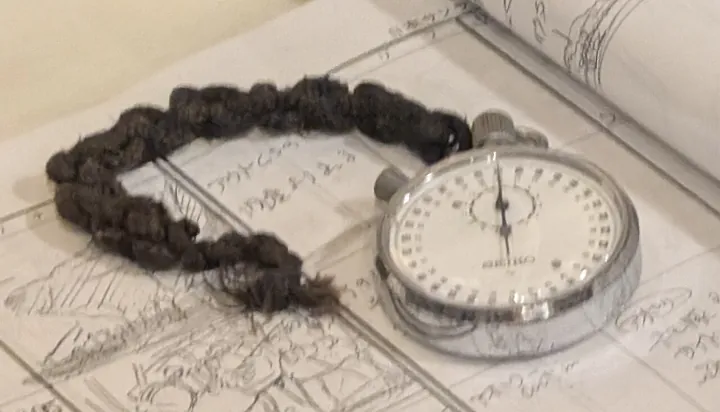
- Description
- A stopwatch
- Source
- Syced · original page
- Licence
- CC0 Public domain
 Measuring properly
Compare two ways of writing a process without fooling yourself.
In brief
- Measure CPU and reads, not just duration.
- Repeat, alternate; do not compare hot and cold runs.
- Vary the volume and look at the shape of the growth.
- Check that results are equal (
EXCEPTin both directions).
“It's faster” is not a measurement. This page describes a reproducible comparison method, and provides a script you can run yourself. No figures are given here: results depend on your machine, your version of SQL Server and your data.
Method#
- A test environment, preferably isolated and stable; shared or elastic resources make durations vary.
- Realistic data: volume, distribution, indexes. Small test sets lie.
- Measure CPU time (
SET STATISTICS TIME ON) and logical reads (SET STATISTICS IO ON), not just elapsed time. - Repeat and alternate the variants; never compare a cold run with a warm run. Avoid running both in parallel.
- Vary the volume (10,000, 100,000, 1,000,000): the shape of the growth says more than a single value.
- Check that the results are equal before drawing any conclusion: a faster variant that returns a different result is not an improvement.
- Read the actual execution plan: estimation gaps, spills, implicit conversions, parallelism.
Clearing the caches (DBCC DROPCLEANBUFFERS, DBCC FREEPROCCACHE) should only be done on a dedicated test server, never in production. Otherwise, compare warm runs, after a warm-up pass.
Measurement script: cursor running total versus window#
Four blocks to run in order on a test database. Blocks 2, 3 and 4 must run in the same batch (same table variables).
1. Data set#
SET NOCOUNT ON;
-- 0) Parameter: number of rows. Start small (10,000), then 100,000, then more.
DECLARE @N int = 100000;

-- 1) Reproducible data set
IF OBJECT_ID(N'dbo.Bench_Ventes') IS NOT NULL DROP TABLE dbo.Bench_Ventes;
CREATE TABLE dbo.Bench_Ventes
(
    VenteId   int           NOT NULL PRIMARY KEY,
    DateVente date          NOT NULL,
    Montant   decimal(18,2) NOT NULL
);

INSERT INTO dbo.Bench_Ventes (VenteId, DateVente, Montant)
SELECT TOP (@N)
       ROW_NUMBER() OVER (ORDER BY (SELECT NULL)),
       DATEADD(DAY, ABS(CHECKSUM(NEWID())) % 3650, CAST('2016-01-01' AS date)),
       CAST(ABS(CHECKSUM(NEWID())) % 100000 AS decimal(18,2)) / 100
FROM   sys.all_columns AS a
CROSS JOIN sys.all_columns AS b;   -- add a third CROSS JOIN if the product is not large enough for @N
2. Procedural version#
-- 2) Procedural version (cursor)
DECLARE @Proc TABLE (VenteId int PRIMARY KEY, Cumul decimal(18,2));
DECLARE @Id int, @M decimal(18,2), @Cumul decimal(18,2) = 0;

SET STATISTICS TIME ON;
DECLARE c CURSOR LOCAL FAST_FORWARD FOR
    SELECT VenteId, Montant FROM dbo.Bench_Ventes ORDER BY DateVente, VenteId;
OPEN c;
FETCH NEXT FROM c INTO @Id, @M;
WHILE @@FETCH_STATUS = 0
BEGIN
    SET @Cumul += @M;
    INSERT INTO @Proc (VenteId, Cumul) VALUES (@Id, @Cumul);
    FETCH NEXT FROM c INTO @Id, @M;
END;
CLOSE c; DEALLOCATE c;
SET STATISTICS TIME OFF;
3. Set-based version#
-- 3) Set-based version (window)
DECLARE @Ens TABLE (VenteId int PRIMARY KEY, Cumul decimal(18,2));

SET STATISTICS TIME ON;
INSERT INTO @Ens (VenteId, Cumul)
SELECT VenteId,
       SUM(Montant) OVER (ORDER BY DateVente, VenteId ROWS BETWEEN UNBOUNDED PRECEDING AND CURRENT ROW)
FROM   dbo.Bench_Ventes;
SET STATISTICS TIME OFF;
4. Verification and cleanup#
-- 4) Check that the results are equal, in both directions (run in the same batch as 2 and 3)
SELECT 'Proc moins Ens' AS Sens, * FROM (SELECT * FROM @Proc EXCEPT SELECT * FROM @Ens) AS x
UNION ALL
SELECT 'Ens moins Proc',        * FROM (SELECT * FROM @Ens  EXCEPT SELECT * FROM @Proc) AS y;
-- Expected result: no rows.

-- 5) Cleanup
DROP TABLE dbo.Bench_Ventes;
Reading the results#
- Compare the CPU time of the two variants for each volume.
- Record the results in a table (volume, CPU, reads) and observe the growth: almost linear or more than linear?
- Note the SQL Server version, the compatibility level and the configuration, so that you can replay the measurement.
A benchmark isolates one situation. It shows the order of magnitude of a gap in your context, not a universal law. Redo the measurement if the hardware, the version or the shape of the data changes.
Sources and verification#
- Microsoft Learn — SET STATISTICS TIME — measuring CPU and elapsed time
- Microsoft Learn — SET STATISTICS IO — logical and physical reads
