

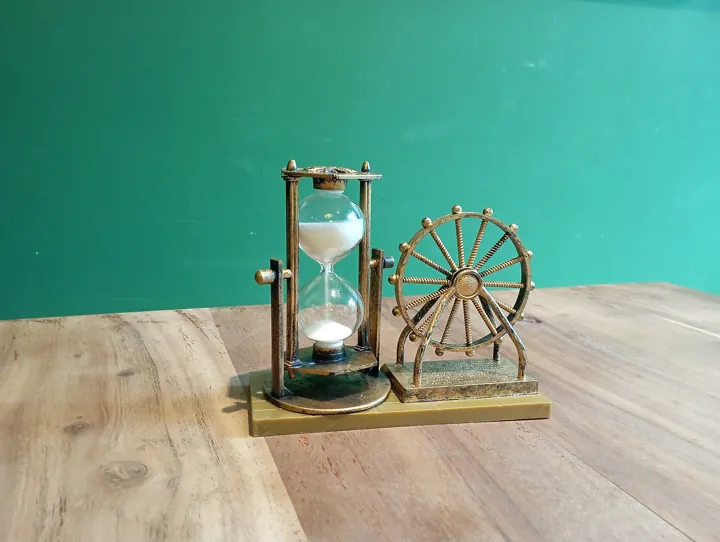
- Description
- Sablier de bureau : le temps que l'on attend s'écoule grain par grain.
- Source
- Suohros · original page
- Licence
- CC0 Public domain
 Performance and Data Volume
This theme measures how long the user waits (opening, clicking a filter, export) and the product's ability to keep its promise as data grows. It covers…
In brief
This theme measures how long the user waits (opening, clicking a filter, export) and the product's ability to keep its promise as data grows. It covers column cardinality, model size, storage modes (Import, DirectQuery, Dual, Direct Lake), aggregations, number of visuals, and query analysis (Performance Analyzer, DAX Studio, query plans).
Level: 🟢→🔴 · Theme code: PRF
1. Why this theme#
A slow report is not “used less”: it is bypassed (Excel export, direct SQL query, local copy), which destroys governance. Commonly accepted usage benchmarks: below about 1 s, the user does not perceive waiting; around 10 s, they disengage (orders of magnitude from ergonomics research; adapt as needed). Performance of an Import model depends first on cardinality and size (VertiPaq columnar engine), then DAX quality (DAX), then the page (number of visuals).
2. What the theme measures#
- Axis: from “it's lagging and we don't know why” to response time guaranteed by a measured pipeline budget.
- Key indicators: page render time (P50/P95), DAX query duration per visual, model size (MB/GB), refresh duration, share of DirectQuery requests > 3 s.
- Units: seconds, MB, number of visuals per page.
3. The 5 levels#
| Level | Short name | Promise | Typical indicator (order of magnitude) |
|---|---|---|---|
| 1 | Suffered | The report opens “whenever it feels like it”; no one knows whether that is normal. | No measurement; complaints |
| 2 | Measured | We know which page and which visual are slow, and the opening time is known. | Typical page < 10 s; manual measurement |
| 3 | Managed | Common pages display in under 3 s on a realistic dataset, and we know why. | P95 page < 3 s; model < 70% of license limit |
| 4 | Budgeted | A performance regression is detected before production deployment. | Time budget per page checked at every release |
| 5 | Guaranteed | Nominal load and projected 12-month growth are absorbed without noticeable degradation. | P95 page < 1–2 s at nominal load; load ramp-up test |
4. Milestones by level#
| ID | Milestone | Verifiable evidence |
|---|---|---|
| BI-PRF-1.1 | The report opens and remains usable on the full dataset | Successful opening in production |
| BI-PRF-1.2 | Users can report slowness through a known channel | Support channel / form |
| BI-PRF-1.3 | Storage mode (Import/DirectQuery) is chosen deliberately | Mention in the model sheet |
| BI-PRF-2.1 | Performance Analyzer used on the main pages | Export of durations by visual |
| BI-PRF-2.2 | Unused columns are removed from the model | No unused column > 1% of size |
| BI-PRF-2.3 | Model size and refresh time are known and recorded | Up-to-date model sheet |
| BI-PRF-2.4 | A slowness threshold (“too slow”) is defined | Written threshold, e.g., page > 5 s |
| BI-PRF-3.1 | High-cardinality columns handled (timestamp split into date + time, IDs not loaded) | Cardinality analysis (VertiPaq Analyzer) |
| BI-PRF-3.2 | Appropriate numeric types and calculated columns avoided in favor of the source | Review of calculated columns |
| BI-PRF-3.3 | Number of visuals per page capped and heavy pages split | Reference page < 10–15 visuals |
| BI-PRF-3.4 | Costly DAX identified with DAX Studio (Server Timings: FE vs SE) | Timing capture before/after |
| BI-PRF-3.5 | Aggregations or aggregate tables for large fact tables | Aggregated table + measures that use it |
| BI-PRF-4.1 | Realistic test dataset (volume ≥ production) | Loaded test environment |
| BI-PRF-4.2 | Performance budget run on each version (reference queries) | Results logged by version |
| BI-PRF-4.3 | Regression report: time variation between two versions | Comparison in release review |
| BI-PRF-4.4 | Mixed modes (Dual, composite) chosen with measured justification | Documented decision |
| BI-PRF-5.1 | Multi-user load test (realistic concurrency) | Test report |
| BI-PRF-5.2 | 12-month growth projection, reviewed each quarter | Projection document |
| BI-PRF-5.3 | P95 target < 1–2 s met on the 5 most viewed pages | Production measurement |
| BI-PRF-5.4 | Continuous optimization: table of the 10 most expensive queries | Monthly review of slow queries |
5. Detailed reading by level#
🟢 Level 1 — Suffered#
- Signs: “it's been slow since Monday,” no numbers. Or worse: no one complains because no one uses it.
- Difficulty: 1/5 · Effort: 1/5.
🟢 Level 2 — Measured#
- Signs: Performance Analyzer used, model size known, unused columns removed (size reduction often 20 to 50% in a model never cleaned up — order of magnitude).
- Gain: we stop guessing. Limit: each measurement is point-in-time.
- Difficulty: 2/5 · Effort: 2/5.
🟡 Level 3 — Managed#
- Signs: we can read the difference between formula engine time (Formula Engine) and storage engine time (Storage Engine); we handle cardinality first (a per-second timestamp over 100M rows ruins compression), then DAX, then the page. Aggregations cover frequent queries.
SFA thread: DateHeureVisite (second-level precision) produced 12M distinct values. Split into DateVisite (1,500 values) and HeureVisite (86,400 → reduced to minute level: 1,440), model size drops from 2.1 GB to 0.9 GB (illustrative figures).
-- Dans DAX Studio : lire les timings serveur
EVALUATE
SUMMARIZECOLUMNS (
    'DIM_DATE'[Mois],
    'DIM_COMMERCIAL'[Region],
    "Visites", [Nb Visites]
)
- Gain: optimization is targeted. Limit: without a budget, performance degrades version after version.
- Difficulty: 3/5 · Effort: 3/5.
Symptom: the report is fast in development, slow in production. Cause: reduced test dataset; exploding cardinality only appears at real volume. Remedy: test with production-scale volume (or a proportional sample).
🟡 Level 4 — Budgeted#
- Signs: every release runs a set of reference queries (e.g., 20 DAX queries extracted from Performance Analyzer, replayed by script) and compares durations with the previous version. A threshold breach blocks or alerts.
- Gain: regression is visible before the user sees it.
- Limit: the budget becomes outdated if usage changes.
- Difficulty: 4/5 · Effort: 4/5.
🔴 Level 5 — Guaranteed#
- Signs: concurrent load testing, growth projection, P95 target maintained. Architecture choices are owned: Import for hot data, DirectQuery/Direct Lake for very large volumes, automatic or manual aggregations, partitions.
- Gain: performance stops being a surprise.
- Limit: cost (capacity, CST); freshness/speed trade-off.
- Difficulty: 5/5 · Effort: 5/5.
In a DirectQuery model, performance is decided in the database: columnstore or covering indexes, up-to-date statistics, simple views without scalar functions. Check the emitted SQL (Profiler/Extended Events) before “tuning” DAX.
A page rule: one visual = one question. Replace ten KPI cards with one matrix, and unnecessary slicers with a page filter.
Assistants can explain a query plan and suggest DAX rewrites; they do not know your real cardinality. Paste Server Timings, not just code.
6. Partial achievement and rating#
Common rule. A “partial 5”: P95 is met under nominal conditions but no load test has been run (BI-PRF-5.1 = 0), growth projection exists (5.2 = 1), P95 target is met on 3 pages out of 5 (5.3 = 0.5); level 5 is not achieved as long as one milestone is at 0.
7. Moving to the next level#
Possible means (optional):
| Transition | Possible levers |
|---|---|
| 1 → 2 | Performance Analyzer, VertiPaq Analyzer, removal of unused columns |
| 2 → 3 | Cardinality reduction, DAX Studio, aggregations, limiting visuals |
| 3 → 4 | Large test dataset, reference queries replayed by script, pipeline thresholds |
| 4 → 5 | Load testing, capacity planning, partitioning, automatic aggregate tables |
Pitfalls:
- Optimizing the measure that costs 40 ms while the page launches 25 visuals: always look first for the largest contributor.
- Goodhart: a “< 3 s” budget met by hiding slow visuals behind bookmarks: slowness is hidden, not solved.
- Measurements on shared capacity vary with surrounding load: measure in alternation, multiple times, never with a single run.
8. See also#
- Related themes: MOD · DAX · ETL · OPS · CST
- Other matrices: DL — Performance and Scalability
- Content: OneLake + SaaS Mobile Apps: Architecture · SQL Server in SaaS — Challenges and Pitfalls · Comparison — OneLake/Fabric vs Managed SQL Server for Power BI Reporting · Cross-Cutting Power BI Best Practices
✻ Written by Claude Sonnet 5.5
