

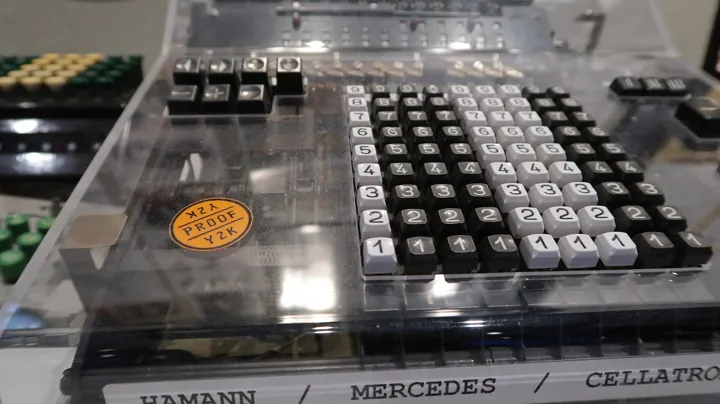
- Description
- Touches numérotées d'une calculatrice mécanique de bureau, sous son capot transparent.
- Source
- stiefkind · original page
- Licence
- CC0 Public domain
 DAX Measures and Calculations
This theme assesses the quality of calculation code: measures rather than columns, command of filter context and row context, context transition (CALCULATE), variables, time…
In brief
This theme assesses the quality of calculation code: measures rather than columns, command of filter context and row context, context transition (CALCULATE), variables, time intelligence, reusable base measures, calculation groups, naming and formatting conventions, and identifier stability (lineage) to avoid breaking client reports. Tests for these measures are in TST.
Level: 🟢→🔴 · Theme code: DAX
1. Why this theme#
Measures are the business logic of the report. A rule (“visit completed,” “active customer,” “numeric distribution”) copied into twenty measures will drift. DAX has two engines (formula and storage) and two contexts; classic mistakes (iterating an entire table in FILTER, forgetting context transition) produce numbers that are wrong or slow with no visible error. Cost of ignoring it: contradictory numbers across pages, fear of touching measures, and client reports broken by renaming.
2. What the theme measures#
- Axis: from improvised calculated columns to a readable, tested, versioned, and stable measure library.
- Key indicators: share of measures built on base measures; number of business rules defined in multiple places; share of documented measures; number of renamed/deleted measures that broke a report.
- Units: %, number.
3. The 5 levels#
| Level | Short name | Promise | Typical indicator (orders of magnitude) |
|---|---|---|---|
| 1 | Columns and copy-paste | The expected number appears for the planned view, and only that one. | Calculated columns everywhere; implicit measures |
| 2 | Named measures | Every displayed number comes from an explicit, named, and formatted measure. | 0 implicit measures in reports |
| 3 | Controlled | A number keeps the same meaning regardless of visual, filter, or period. | Base measures + variables; correct time intelligence |
| 4 | Reusable | A business rule exists only once, and a new variation is added in minutes. | 1 rule = 1 definition; calculation groups |
| 5 | Library | Calculation is a product: tested, versioned, documented, and changes do not break any consumer. | 0 reports broken by measure changes in 12 months |
4. Milestones by level#
| ID | Milestone | Verifiable evidence |
|---|---|---|
| BI-DAX-1.1 | Main numbers are calculated in the model (not manually in Excel) | Value can be recalculated |
| BI-DAX-1.2 | Results are compared once to the source | Recorded spot check |
| BI-DAX-1.3 | Calculated columns are known and inventoried | List of calculated columns |
| BI-DAX-2.1 | No “implicit aggregation”: numeric columns are set to Do not summarize |
Summarization = none on columns |
| BI-DAX-2.2 | Measures named by convention (Verb/Noun + optional unit) and formatted | Naming review |
| BI-DAX-2.3 | Measures organized in display folders | Folder structure |
| BI-DAX-2.4 | No unprotected division (DIVIDE) |
Review of / in code |
| BI-DAX-3.1 | Base measures (sum, count) are separate from derived measures | Measure dependency tree |
| BI-DAX-3.2 | Use of VAR/RETURN for readability and performance |
Code review |
| BI-DAX-3.3 | Time intelligence on a marked date table (DATESYTD, SAMEPERIODLASTYEAR, DATEADD) |
Results verified on leap years and incomplete years |
| BI-DAX-3.4 | CALCULATE filters expressed as column predicates, not as FILTER(TABLE…) unless needed |
Performance review |
| BI-DAX-3.5 | Context transition is understood and documented where it appears (measure inside an iterator) | Comments and test cases |
| BI-DAX-4.1 | Each business rule (“visit completed”) defined once, reused by reference | No duplication detected |
| BI-DAX-4.2 | Calculation groups for cross-cutting variations (period, currency, variance) | Calculation table in the model |
| BI-DAX-4.3 | Systematic variation nomenclature (base / cumulative / N-1 / %) | Suffix table |
| BI-DAX-4.4 | Commented measures: intent, assumptions, exceptions | Measure description filled in |
| BI-DAX-4.5 | Hidden (internal) measures separated from published measures | Visibility managed |
| BI-DAX-5.1 | Measures are tested (reference queries) and versioned (TMDL) | Repository + tests (TST) |
| BI-DAX-5.2 | A published measure is never deleted/recreated; it is modified in place (lineageTag preserved) | Repository history |
| BI-DAX-5.3 | Deprecation policy (marking, timeline, communication) for retired measures | Deprecation log |
| BI-DAX-5.4 | Reusable measure library across models (e.g., TMDL scripting tool) | Shared repository |
5. Detailed reading by level#
🟢 Level 1 — Columns and copy-paste#
- Signs: calculated columns for everything (
=[Quantity]*[Price]), implicit measures created by drag-and-drop, values that vary by visual. - What is understood at this stage: a calculated column is evaluated at load time, stored in memory, in a row context; a measure is evaluated at display time, in the visual's filter context. Columns consume memory and do not react to filters.
- Difficulty: 1/5 · Effort: 1/5.
🟢 Level 2 — Named measures#
Nb Visites = COUNTROWS ( 'FACT_VISITE' )

Taux Réalisation =
DIVIDE ( [Nb Visites Réalisées], [Nb Visites Planifiées] )
- Signs: implicit aggregation disabled, meaningful names, formats set, systematic
DIVIDE. - Benefit: readability, display consistency.
- Limit: rules are still duplicated; time intelligence is often approximate.
- Difficulty: 2/5 · Effort: 2/5.
🟡 Level 3 — Controlled#
Understanding context:
-- Mesures de base
Nb Visites Réalisées =
CALCULATE ( [Nb Visites], 'FACT_VISITE'[Statut] = "Réalisée" )

-- Time intelligence : exige une table de dates continue et marquée
Nb Visites N-1 =
CALCULATE ( [Nb Visites Réalisées], SAMEPERIODLASTYEAR ( 'DIM_DATE'[Date] ) )

Évolution N-1 % =
VAR vCourant = [Nb Visites Réalisées]
VAR vPrec    = [Nb Visites N-1]
RETURN DIVIDE ( vCourant - vPrec, vPrec )
- Context transition: a measure called inside an iterator (
SUMX) carries an implicitCALCULATEthat converts row context into filter context. A source of errors and cost:SUMX(Clients, [Mesure])evaluates the measure as many times as there are customers. - Predicate filter:
CALCULATE(..., 'T'[Col] = x)is folded into a column filter (efficient);FILTER('T', …)iterates the table (costly). - Benefit: same numbers regardless of visual.
- Limit: each new variation still requires code.
- Difficulty: 3/5 · Effort: 3/5.
Symptom: “N-1” is blank or wrong at the start of a period. Cause: date table that does not cover the previous year, or is not marked. Fix: continuous calendar across the full range + horizon; test boundaries (January 1, February 29).
Symptom: a “Total” measure smaller than the sum of rows. Cause: non-additive calculation (averages, distinct counts) or lost total filter. Fix: explicitly define total behavior (HASONEVALUE, ISINSCOPE) and test it.
🟡 Level 4 — Reusable#
- Signs: one business rule = one base measure. Variations (YTD, N-1, % of) go through calculation groups:
-- Élément de calcul « Période » : N-1
CALCULATE ( SELECTEDMEASURE (), SAMEPERIODLASTYEAR ( 'DIM_DATE'[Date] ) )
A calculation group replaces dozens of duplicated measures, but requires precautions: precedence between groups, SELECTEDMEASURENAME() to handle percentages differently, dynamic formats, and verification that already published measures keep their results.
- Benefit: consistency, adding a variation in minutes.
- Limit: hard to debug without a method; existing client reports must remain compatible.
- Difficulty: 4/5 · Effort: 4/5.
SFA thread: the rule “active customer = at least one completed visit over rolling 90 days” is defined in [Clients Actifs]; all “by active customer” measures reference it. When the rule moves to 120 days, you modify one measure.
🔴 Level 5 — Library#
- Signs: measures are in a repository (TMDL), tested with reference queries, documented, and never deleted-recreated: renaming or deleting a measure loses its lineageTag and breaks linked reports. An obsolete measure is marked, moved, communicated, and removed after a delay.
- Benefit: calculation is a stable product; change cost is predictable.
- Limit: review discipline is essential.
- Difficulty: 5/5 · Effort: 5/5.
-- Test de mesure (DAX query, exécutable dans DAX Studio ou SSMS)
EVALUATE
ROW (
    "Attendu", 12345,
    "Calculé", [Nb Visites Réalisées],
    "Écart",   [Nb Visites Réalisées] - 12345
)
Write DAX to be read, not just executed: VARs named vXxx, one CALCULATE per intent, and // comments for exceptions. Format with a dedicated tool (DAX Formatter) and keep formatting in the repository.
DEFINE MEASURE in a DAX query lets you prototype a measure without touching the model, compare two variants, and measure timings (Server Timings) before integrating them.
Assistants write common measures well and explain a CALCULATE; they make mistakes on contexts (plausible output, wrong result), on inactive relationships, and on totals. Always validate with a test query against a known expected value.
6. Partial achievement and rating#
Common rule. Each DAX milestone is assessed by sample: draw 10 random measures and count those that meet the milestone (≥ 8/10 → 1; 5 to 7 → 0.5; < 5 → 0). “A partial 5”: tests cover the 30 most used measures out of 220 (BI-DAX-5.1 = 0.5), the “never delete-recreate” rule has been followed for 6 months (5.2 = 1), no deprecation policy (5.3 = 0).
7. Moving to the next level#
Possible means (optional):
| Transition | Possible levers |
|---|---|
| 1 → 2 | Disable implicit aggregation; naming convention; DIVIDE |
| 2 → 3 | Base measures; variables; marked calendar; plan reading (DAX Studio) |
| 3 → 4 | Rule inventory; calculation groups; variation nomenclature |
| 4 → 5 | TMDL repository, reference tests, deprecation policy, generation scripts |
Pitfalls:
- Goodhart: “100% of measures documented” → meaningless descriptions (“Count measure”).
- Rewriting all measures “to clean things up”: you lose lineageTag, you break client reports.
- Calculation group enabled too early: side effects on all model measures, including those not designed for it.
- False positive: a fast and wrong measure; speed is not correctness.
8. See also#
- Related themes: MOD · TST · PRF · IND · ACC (translated names)
- Other matrices: DL — Code Quality · DL — Testing
- Content: Cross-Cutting Power BI Best Practices · SQL Server in SaaS — AI Contribution · OneLake + SaaS Mobile Apps: AI Contribution · Version Control for Data: SQL and Power BI
✻ Written by Claude Sonnet 5.5
