

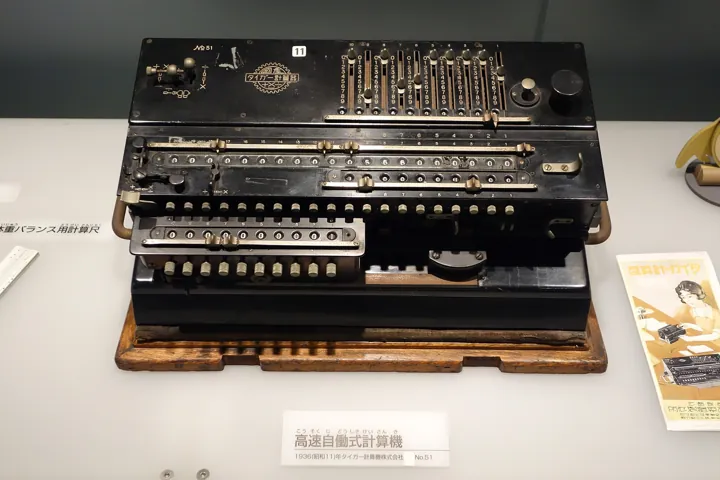
- Description
- Calculatrice mécanique ancienne à leviers, à curseurs et à rangées de touches, exposée dans une vitrine.
- Source
- Daderot · original page
- Licence
- CC0 Public domain
 SQL Server in SaaS — AI contribution
You will understand where AI truly helps in an Azure SQL → Power BI chain: writing and optimizing T-SQL, DAX, plan analysis, diagnostics, documentation, anomaly detection, tuning…
In brief
- You will understand where AI truly helps in an Azure SQL → Power BI chain: writing and optimizing T-SQL, DAX, plan analysis, diagnostics, documentation, anomaly detection, automatic engine tuning.
- You will get /5 ratings (gain, risk, maturity) by use case, with prerequisites and guardrails.
- You will get standard prompts, and a list of what AI does not replace.
- Product names and their status (preview, general availability) change quickly: each volatile point is marked “state 2026-10” or “to be verified.” Scope: overview.
On this page
Level: 🟢→🔴
Two AI families not to confuse#
🟢 Novice — Assistant or engine?#
- Assistant AI: you write an instruction in natural language, a language model (Copilot, an agent) produces text (SQL, DAX, explanation). You review and decide. Main risk: plausible hallucination.
- AI embedded in the engine: the Azure SQL service observes its workload and acts (create/drop an index, force a plan, detect a performance anomaly). These are machine learning algorithms applied to telemetry, with a validation cycle (trial, measurement, rollback). Main risk: an automatic action that is not understood.
The first requires careful review vigilance, the second requires supervision. The rest of this file distinguishes these two modes.
Copilot in SQL tools#
🟡 Practical — Where to find it (state 2026-10)#
| Tool | What the assistant does | Status / note |
|---|---|---|
| SQL Server Management Studio (SSMS) | Dialogue on the connected database: explain a query, generate T-SQL from a description, help with diagnostics; relies on GitHub Copilot | Integrated in SSMS 22 (GitHub Copilot general availability announced in March 2026; agent mode remains in preview; check installed version and GitHub Copilot licenses) |
Visual Studio Code mssql extension |
Completion and chat with GitHub Copilot aware of the connection schema | Evolves quickly; to be verified |
| Azure portal — Copilot in Azure | Help with sizing, understanding metrics, troubleshooting (e.g., “why is this database consuming so many DTUs?”) | Depends on tenant and admin activation; to be verified |
| Portal query editor / Fabric | Query generation and correction on the database | In the Fabric SQL editor and SQL database in Fabric editor; state to be verified |
| GitHub Copilot (IDE, CLI) | Writing deployment scripts, pipelines, tests | Generic: does not have your database context unless you provide it |
(Azure Data Studio has been retired since February 28, 2026; VS Code’s mssql extension and SSMS now cover its uses.)
Give the assistant the schema (DDL of relevant tables, cardinalities, existing indexes, naming convention), not just the question. A generated query without schema is a draft; with schema + team rules, it is a usable first version.
Symptom: the generated query references non-existent columns or ignores accent handling. Cause: hallucination, schema not provided. Remedy: provide the DDL, require use of listed objects only, run first in read-only mode on a development environment.
Integrated assistants send context (schema snippets, queries, sometimes results) to a cloud service. For environments containing personal data, verify what is transmitted, contractual non-training commitments, and opt-out options before broad rollout (see Security, Privacy, Compliance).
Copilot in Power BI#
🟡 Practical — What is offered (state 2026-10, to be verified)#
- Copilot in reports: report summary, creation of pages and visuals from an instruction, natural-language queries on the model, explanation of visuals. Requires a paid capacity Fabric/Premium of a minimum size and tenant admin activation (the list of eligible SKUs changes; to be verified).
- Copilot in DAX measure creation: measure suggestions, explanation of an existing measure, writing descriptions.
- Model preparation for AI: model description, synonyms, sample questions, “AI schema” indicating to the assistant which tables and fields to use (names and features change; to be verified). This is the #1 quality lever: a clean, well-named, documented model produces good answers.
- Natural-language Q&A and data agents on a model/lakehouse: useful for exploration, rarely acceptable for decision-grade numbers without validation.
Copilot quality depends on the quality of metadata: readable business names, table and measure descriptions, hidden unnecessary columns, correct relationships, translations. This is exactly what the BI matrix recommends anyway (Semantic Model): AI rewards hygiene, it does not replace it.
Symptom: two users get different numbers for the “same” question. Cause: ambiguous phrasing, different chosen measure, different RLS by profile. Remedy: certified and unambiguously named measures, model instructions (“revenue is measure [Net Revenue]”), number acceptance testing, and a visible notice that the answer is AI-generated.
T-SQL and DAX: generation and optimization#
🟡 Practical — Use cases#
| Use case | What AI does well | What it does poorly |
|---|---|---|
| Write a simple aggregation query | Fast, correct if schema is provided | Ignores internal conventions, business NULLs |
Rewrite a slow query (NOT IN → NOT EXISTS, correlated subqueries, functions on columns) |
Recognizes classic anti-patterns | May change semantics (NULLs, duplicates) without saying so |
| Convert loop/cursor to set-based logic | Good general approach | Sometimes loses ordering, side effects |
| Write DAX (simple measure, time intelligence) | Good on known patterns (CALCULATE, DATESYTD) |
Confuses row/filter context, overuses iterators, creates implicit relationships |
| Optimize DAX | Suggests variables (VAR), avoids unnecessary iterations |
Without measurement (DAX Studio), gain is assumed |
| Generate tests (edge cases, datasets) | Very useful for imagining cases | Does not know hidden business rules |
Symptom: the “optimized” query is 10 times faster but returns 3% fewer rows. Cause: transformation changing handling of NULLs or duplicates (e.g., NOT IN vs NOT EXISTS). Remedy: test equivalence: compare EXCEPT both ways, totals, counts by key; never accept a rewrite based on duration alone.
-- Contrôle d'équivalence entre l'ancienne et la nouvelle requête
SELECT * FROM (ancienne) a EXCEPT SELECT * FROM (nouvelle) n;
SELECT * FROM (nouvelle) n EXCEPT SELECT * FROM (ancienne) a;
-- Les deux résultats doivent être vides (à lancer sur un jeu de données représentatif)
A generated DAX measure for “market share on surveyed products” uses FILTER(ALL(Table), ...) everywhere, correct but slow. The review replaces it with a column filter in CALCULATE (faster): the gain is verified in Performance Analyzer, and total equality is checked by RLS role.
See also the BI matrix on DAX Measures and Calculations.
Execution plans and diagnostics#
🟡 Practical — AI reads plans#
Pasting an XML execution plan (or its text) into an assistant gives you an operator-by-operator explanation, identification of anomalies (row estimate far from actual, heavy key lookup, spill in tempdb, scan where seek is possible, implicit conversion), and a list of hypotheses. This is an excellent accelerator for juniors and a time saver for experts, provided you verify each hypothesis on the actual plan (SET STATISTICS XML ON or Query Store).
Wait diagnostics: pasting the output of sys.dm_exec_session_wait_stats/sys.dm_db_wait_stats and the resource profile helps classify the bottleneck (CPU, IO, log, lock).
Provide the actual plan (not estimated) and time/IO stats; ask “which hypotheses, ranked by probability, and what measurement would confirm each one.” Avoid “fix this for me,” which leads to unverifiable recommendations.
🔴 Expert — Safe improvement loop#
- Capture the query and its plan in Query Store (baseline).
- Submit the plan to the assistant; get 2–3 hypotheses.
- Test each hypothesis separately, in alternation, on a dedicated environment, in CPU and logical reads (measurement protocol).
- Check result equivalence.
- Deploy via the usual kit/pipeline with review; record the gain in change tracking.
Engine-Integrated Intelligence#
🟡 Practical — Auto-Tuning and Detection#
- Automatic Tuning in Azure SQL Database:
FORCE_LAST_GOOD_PLAN(reverts a plan regression detected by Query Store), recommendations and (depending on configuration) automatic application of index creation/removal (CREATE_INDEX,DROP_INDEX) with validation and rollback if workload performance degrades. Enabled per database; plan forcing is generally safe, while automatic index management requires more caution (created indexes are not versioned in your code → drift between environments; maintenance cost). - Performance recommendations in the portal (missing/unused indexes, expensive queries): produced from telemetry, to be treated as suggestions.
- Intelligent Insights / performance anomaly detection and metric-based alerts (CPU, IO, workers): in preview or evolving, to be verified; useful for moving from fixed-threshold monitoring to deviation detection.
- Microsoft Defender for SQL: vulnerability assessment and detection of abnormal activity (injection, unusual access), another case of embedded AI on the security side.
- Intelligent query processing (IQP family): memory grant feedback, parameter-sensitive plan optimization, adaptive joins, depending on compatibility level. No “magic”: these are learning mechanisms in the optimizer, requiring a sufficient compatibility level (see pitfall 27).
Symptom: an unknown index appears in production and slows consolidation. Cause: automatic index creation enabled, not propagated into source code or deployment kits. Fix: if the option is used, bring back accepted indexes into the code (weekly review of recommendations); otherwise disable it and treat recommendations as tasks.
Enable FORCE_LAST_GOOD_PLAN almost everywhere (low risk, high benefit); treat automatic index creation as versioned recommendations rather than uncontrolled actions.
Automatic Documentation and Metadata#
🟡 Practical — Document at Lower Cost#
AI generates strong first drafts of descriptions for tables and columns from schema, names, and samples: DAX measure descriptions, column comments, data dictionaries, synonyms for Copilot, label translations (English, Spanish, etc.). In a datamart where metadata is carried by SQL extended properties (description, source, label), a script can generate proposals that a human validates before writing.
Related use cases: generating Mermaid lineage diagrams from dependencies (sys.sql_expression_dependencies), summarizing changes between two datamart versions, release notes from schema diffs.
Symptom: elegant but incorrect descriptions (“Revenue excluding tax” for an amount that actually includes tax). Cause: AI infers from the name, not business meaning. Fix: validation by the data owner; mark descriptions as “AI proposal, validated by X on YYYY-MM-DD” in metadata; never bulk-write without review. See Metadata, Lineage, and Documentation.
Translations: AI is effective for translating short labels, but business vocabulary (“linear,” “facing,” “reading”) may be mistranslated; provide a glossary and have a business-domain speaker review, especially for contractual multilingual reports.
Benefit, Risk, Maturity Table#
Expert assessments, context-dependent (team of 3 to 8 people, enterprise reporting project on Azure SQL + Power BI; see RATING). Risk: 5 = high risk; maturity: 5 = proven practice.
| Use case | Benefit | Risk | Maturity | Prerequisites | Safeguards |
|---|---|---|---|---|---|
| Simple T-SQL generation with provided schema | 4/5 | 2/5 | 4/5 | DDL, conventions | Review, read-only execution on dev |
| T-SQL rewrite for performance | 3/5 | 4/5 | 3/5 | Actual plan, test dataset | EXCEPT equivalence, CPU/read measurements |
| Execution plan explanation | 4/5 | 2/5 | 4/5 | Actual XML plan | Verify each assumption |
| DAX measure writing | 3/5 | 3/5 | 3/5 | Documented model, reference measures | Total tests by role, review |
| DAX optimization | 3/5 | 3/5 | 3/5 | DAX Studio, metrics | Measure before/after |
| Copilot Power BI (exploration, summaries) | 3/5 | 3/5 | 3/5 | Eligible capacity, prepared model | “Generated by AI” note, committed numbers validated |
| Natural language questions on model | 3/5 | 4/5 | 2/5 | Rich metadata, certified measures | Limited scope, logging |
| Test and dataset generation | 4/5 | 2/5 | 3/5 | Explicit business rules | Business review |
| Documentation and descriptions | 4/5 | 3/5 | 4/5 | Glossary, schema | Owner validation, AI marking |
| Label translation | 3/5 | 3/5 | 4/5 | Business glossary | Speaker review |
| Automatic tuning (forced plans) | 4/5 | 2/5 | 4/5 | Query Store active | Forced plan monitoring |
| Automatic index creation | 3/5 | 4/5 | 3/5 | Periodic review | Bring back into code, compare environments |
| Anomaly detection (alerts, Defender) | 3/5 | 2/5 | 3/5 | Metrics, defined action | Reduce noise, response procedure |
| “Free” agent modifying the database | 2/5 | 5/5 | 1/5 | — | Forbidden in production; sandbox + approval |
Safeguards#
🔴 Expert — Recommended Usage Framework#
- Data scope: list of authorized environments (development only, never send real personal data to an external service without agreement).
- Read-only first: assistants connect with a read-only account (role
db_datareader, or even restricted schema); write operations always go through the pipeline. - Mandatory human review of all generated code before merge, as with code from a new teammate; review checks semantics (NULLs, duplicates, time zones, accents), not syntax.
- Equivalence and non-regression testing: control queries, totals by scope and by RLS role; see Testing and Reliability of Numbers.
- Traceability: indicate in the change description that an element was generated/assisted by AI (consistent with the editorial content signature policy; no need to sign every line of code).
- No secrets in prompts: connection strings, passwords, keys; use secret vaults.
- Measure rather than trust: any performance claim is confirmed by measurement; any license/pricing limit by official documentation.
- Monitoring and governance: Copilot and Fabric capabilities evolve (name, status, license changes); a designated person keeps the inventory of authorized uses up to date.
Start with low-risk/high-benefit use cases: plan explanation, documentation, test generation, FORCE_LAST_GOOD_PLAN. Move upmarket (rewriting, agents) when automated acceptance testing and monitoring are in place.
Example Prompts#
Context: Azure SQL Database, compatibility level 160, accent-sensitive collation.
Schema (attached DDL): dbo.FaitVisite, dbo.DimClient, dbo.DimDate.
Task: write a query that gives, by month and by region, the number of distinct visits
and the rate of visits with a reading. Constraints: use only columns from the DDL; no function
on filter columns; handle NULLs in [DateRelevé] as “no reading”; comment assumptions.
Respond with: the query, assumptions, 3 edge cases to test.
Here is the actual execution plan (XML) for a slow DirectQuery query and the IO/TIME statistics.
List the 3 most likely causes, ranked, and for each one the metric or query that would confirm it.
Do not propose rewriting before confirmation.
Here is a DAX measure and the model description (tables, relationships, cardinalities).
Explain it in simple French, flag context risks (filter/row), costly iterators,
and propose a version with variables. Indicate what could change the result depending on an RLS role.
Here is the DDL of table dbo.DimProduit. Propose a business description for each column (one sentence),
mark [uncertain] what cannot be inferred from the name, and propose a short English label (attached glossary).
What AI Does Not Replace#
- Architectural judgment: choosing Import/DirectQuery/mirroring, sizing, and balancing cost and freshness remains an expert decision, with explicit trade-offs (06).
- Responsibility: generated code is your code; a published wrong number is on the team, not the assistant.
- Business acceptance testing: only comparison against a user-validated reference proves a number is correct.
- Confidentiality: the assistant provides no guarantee; it comes from configuration, contract, and discipline.
- Project memory: the assistant does not know prior decisions, unwritten rules, or error history; living documentation remains essential.
- Hidden debt: mass-generated code that is not understood becomes maintenance debt (no one knows why this query exists). Simple rule: if the team cannot explain a script, it does not go in.
For project management in general, see AI for Project Management (General Then Data) and AI in Planning and Version Control Tools; for the OneLake track, 04-onelake-mobile-saas-ia.md; for the cross-functional summary, Cross-Functional Summary — AI Contribution.
See also#
- Overview · Architecture · Difficulties and pitfalls
- Comparison OneLake vs SQL Server · Cross-Cutting Good Practices · Project Checklist
- BI Matrix: DAX Measures and Calculations · Semantic Model
- PD Matrix: Data Quality
- Bibliography and Resources · Glossary
✻ Written by Claude Sonnet 5.5
