

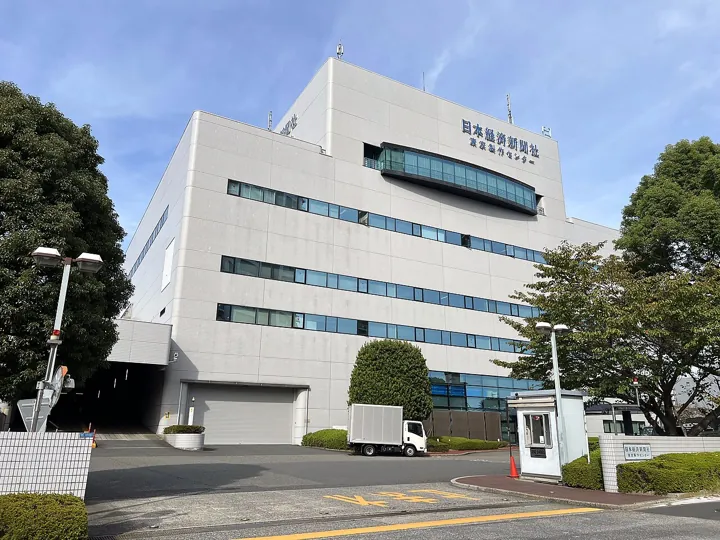
- Description
- A newspaper printing plant
- Source
- Asanagi · original page
- Licence
- CC0 Public domain
 Power BI Reporting — OneLake and Managed SQL Server
This set addresses a very concrete architecture question: which analytical source should you use to build Power BI reporting fed by SaaS field applications?
In brief
- This set addresses a very concrete architecture question: which analytical source should you use to build Power BI reporting fed by SaaS field applications?
- Two families are examined side by side: Microsoft Fabric / OneLake (files 01 to 04) and managed SQL Server (files 05 to 08), then compared (09), supplemented with good practices valid everywhere (10), and project checklists (11).
- You will find /5 ratings, decision trees, pitfalls with symptom-cause-remedy, AI contributions, and guardrails.
- Audience: from the developer discovering Power BI to the BI architect who must make trade-offs. Each file moves up from 🟢 (basics) to 🔴 (expert).
Level: 🟢→🔴
1. Interpretations used#
The topic of this set allows several readings. Here are the ones used, so everyone knows what is covered (and what is not).
🟢 Novice — The two topics#
- “OneLake + SaaS mobile apps”: Power BI reporting whose analytical source is Microsoft Fabric / OneLake (lakehouse or warehouse, Direct Lake, mirroring, shortcuts, pipelines, dataflows Gen2, eventstream), fed by SaaS mobile apps: field SFA/CRM, Dynamics 365, Salesforce, Power Apps, data collection apps. This implies API quotas, drifting schemas, offline data then synchronized, latency, and identity questions.
- “SQL Server in SaaS”: a managed cloud relational database — Azure SQL Database, Azure SQL Managed Instance, SQL database in Fabric; SQL Server on virtual machine as a contrast — as a Power BI source (Import, DirectQuery, composite, or Direct Lake via mirroring), with the Power BI service itself in SaaS.
PaaS vs SaaS nuance: Azure SQL Database and Managed Instance are PaaS (managed engine, but schema, indexes, sizing, and permissions remain your responsibility); only Power BI and Fabric are SaaS. “SQL Server in SaaS” is therefore shorthand: it does not mean operations disappear.
🟡 Practical — What is out of scope#
- The mobile app itself (its design, offline mode, SDK): we only address what it imposes on reporting (extraction, quotas, schemas, latency).
- Other analytical sources (legacy dedicated Synapse, Databricks, Snowflake): mentioned only as contrasts.
- Up-to-date pricing detail: figures are given as flagged orders of magnitude, to be verified (status 2026-10).
Each source set (OneLake, SQL Server) includes a file dedicated to AI: Copilot in Power BI/Fabric, code assistants, AI-driven data quality, with gains, risks, and guardrails rated /5.
2. Map of the 11 files#
| # | File | Content | For whom / when |
|---|---|---|---|
| 01 | OneLake + SaaS mobile apps: overview | Concepts: OneLake, lakehouse, warehouse, Direct Lake, mirroring, shortcuts; the chain from the mobile app | Discovery, skill refresh |
| 02 | OneLake + SaaS Mobile Apps: Architecture | Medallion, pipelines, capacities, security, semantic models | Design |
| 03 | OneLake + SaaS Mobile Apps: Difficulties and Pitfalls | API quotas, schema drift, offline mode, capacity, DirectQuery fallback | Before committing, in review |
| 04 | OneLake + SaaS Mobile Apps: AI Contribution | Copilot, data agents, development assistants | Framing AI uses |
| 05 | SQL Server in SaaS — Overview | Azure SQL Database, Managed Instance, SQL database in Fabric; PaaS vs SaaS | Discovery |
| 06 | SQL Server in SaaS — architecture | Exposure layer, Import/DirectQuery/composite, mirroring, security, network | Design |
| 07 | SQL Server in SaaS — difficulties and pitfalls | Locks, query plans, gateways, model limits | Review, operations |
| 08 | SQL Server in SaaS — AI Contribution | AI on the database side and on the Power BI side | Framing AI uses |
| 09 | Comparison — OneLake / Fabric vs Managed SQL Server for Power BI Reporting | Nine aspects rated /5, heatmap, decision tree, scenarios, costs, paths | Architecture decision |
| 10 | Cross-Cutting Power BI Good Practices | Star schema, naming, DAX, Power Query, RLS, performance, multilingual, PBIP/Git, lineageTag, 47 pitfalls |
Whole team, continuously |
| 11 | Power BI Reporting Project Checklists | Six phases, architecture choice, report review, model review | Steering and peer review |
3. Reading paths#
🟢 Novice — “I’m discovering”#
- This README, then the Glossary.
- 05 — SQL Server, overview (closest to a traditional existing setup), then 01 — OneLake, overview.
- 🟢 sections of 10 — good practices: star schema, naming, basic DAX.
🟡 Practical — “I’m building a report”#
- 10 — good practices, end to end.
- Your source architecture: 06 or 02.
- The matching pitfalls: 07 or 03.
- 11 — checklists: Build and Acceptance testing phases, model review.
🔴 Expert — “I decide or arbitrate”#
- 09 — comparison: grid, decision tree, switch thresholds.
- Pitfall files 03 and 07, then AI: 04, 08.
- 11 — architecture choice checklist, then self-assessment with the Maturity Matrix — BI Tool/Application Development.
🟡 Practical — “I train a team”#
- Have them read 10 (sections 2, 3, 4, 13) and practice the model review from 11 on a real team model; then measure with the Self-Assessment with Maturity Matrices.
4. Common thread#
Examples rely, in an anonymous and illustrative way, on a SQL Server datamart fed by a field sales force automation (SFA) application, with multilingual Power BI reports, versioned in TFVC and delivered in installation kits. This case is representative of organizations asking: should we stay on the datamart, move to OneLake, or make both coexist? This set's answer is nuanced: most often, start by not breaking anything, measure, then open OneLake via mirroring (see 09 — comparison).
A five-person team, 150 users, a 200 GB datamart, three languages. The comparison recommends keeping the Import model, setting up automatic reconciliation, and testing mirroring on three tables before any commitment: pilot cost on the order of a few person-days, reversible.
5. Volatile facts and checks#
Microsoft Fabric, Power BI, licensing, pricing, and the GA/preview status of features change several times a year. This set flags the relevant facts as (status 2026-10). Checks performed at writing time (web research, 2026-10):
| Fact | Observed status | To reconfirm before decision |
|---|---|---|
| Mirroring of Azure SQL Database in Fabric | General availability announced in November 2024 | Type and DDL limits |
| Mirroring of Azure SQL Managed Instance | General availability announced; support behind firewall via data gateway announced in preview | Current preview status, network prerequisites |
| Power BI Premium capacities P1–P5 | No longer sold, replaced by Fabric F capacities | Timeline in your contract |
| Pricing (Pro, Premium per user, F capacities) | Orders of magnitude found: Pro ≈ $14, PPU ≈ $24 per user per month; F4 ≈ $525/month pay-as-you-go (excluding reservation) | Always the official pricing page, your currency, and your contract |
| Read-only threshold without individual license (F64 and above) | Read access without per-user Pro license starting at F64 (P1 equivalent); smaller F requires a license per reader | Official Power BI licensing documentation |
| Direct Lake, OneLake security, default PBIR, Copilot | Change quickly | To be checked in documentation |
A license or limit figure cited from memory (by a human or an AI) is outdated more often than you think. Files in this set provide orders of magnitude for reasoning, never a quote.
6. Links with the rest of this section#
| If you are looking for… | See |
|---|---|
| Measured practice across five levels | Matrix Maturity Matrix — BI Tool/Application Development (model, DAX, RLS, versioning, tests, multilingual, costs) |
| The data lifecycle as an asset | Matrix Maturity Matrix — Data Project Management (PD) |
| Managing the reporting project | Scrum Applied to Data, BI, and the Datamart · Methods Specific to Data Projects |
| Continuous delivery of models and scripts | CI/CD for data: foundations, datamarts, pipelines, and reports |
| Versioning report files and SQL scripts | Source Control for Data: SQL and Power BI · TFVC in Depth |
| Project tracking and metrics | Azure DevOps Server (formerly TFS) In Depth · Project Metrics and Reporting |
| AI in the project | AI for Project Management (General Then Data) · Cross-Functional Summary — AI Contribution |
| Definitions, rating, bibliography | Glossary · Rating: Reading Ratings, Scores, and the Legend · Bibliography and Resources |
7. See also#
- Portal · Reading Paths · Self-Assessment with Maturity Matrices
- Comparison and decisions: 09 · 10 · 11
✻ Written by Claude Sonnet 5.5
