

- Description
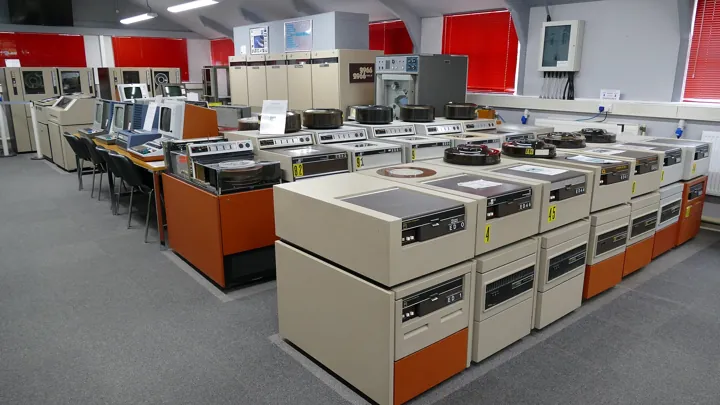
- Salle d’ordinateurs anciens, garnie d’unités de disques et de bandes magnétiques alignées.
- Source
- BadgersCP · original page
- Licence
- CC0 Public domain
 SQL Server in SaaS — overview
You’ll be able to pinpoint exactly what “SQL Server in SaaS” covers: Azure SQL Database, Azure SQL Managed Instance, SQL database in Fabric, and SQL Server on a virtual machine as…
In brief
- You’ll be able to pinpoint exactly what “SQL Server in SaaS” covers: Azure SQL Database, Azure SQL Managed Instance, SQL database in Fabric, and SQL Server on a virtual machine as a contrast.
- You’ll be able to state the PaaS vs SaaS nuance in one sentence, and stop getting trapped by commercial wording.
- You’ll understand the promise of this architecture choice for Power BI reporting, its limits, and the situations where it is the right choice (or not).
- You’ll have a /5 rating grid (explicit context) to compare this option with the OneLake path described in 01-onelake-mobile-saas-vue-d-ensemble.md.
- You’ll know where to continue: architecture, pitfalls, AI.
Level: 🟢→🔴
Chosen interpretation of the topic#
Topic 4b — “SQL Server in SaaS”. This refers to a managed relational database in the cloud (Azure SQL Database, Azure SQL Managed Instance, SQL database in Fabric; SQL Server on VM only as contrast) serving as a source for Power BI (Import, DirectQuery, composite, or Direct Lake via mirroring), with the Power BI service itself consumed as SaaS. The common thread remains anonymous: a SQL Server datamart fed by a field sales force automation (SFA) application, with multilingual Power BI reports, versioned in TFVC, delivered as installation kits.
The question raised by this dossier is not “Is SQL Server good?” (yes, for thirty years), but: what changes when you hand the relational engine over to a cloud provider, and what is the impact on the reporting chain? The companion dossier 01-onelake-mobile-saas-vue-d-ensemble.md covers the other path (lakehouse/OneLake); the comparison puts them side by side.
The basics: what are we talking about?#
🟢 Beginner — The four forms of “SQL Server in the cloud”#
A SQL Server engine can be consumed in four ways, from the most “self-built” to the most “turnkey provided”:
| Form | What you manage | What the provider manages | Similarity to “boxed” SQL Server |
|---|---|---|---|
| SQL Server on VM (IaaS) | System, instance, backups, patches, high availability | Hardware, hypervisor | 100% identical |
| Azure SQL Managed Instance (PaaS) | Databases, logins, instance configuration (partial) | Patches, backups, high availability, system | Almost complete (SQL Agent, cross-database links, CLR, Service Broker…) |
| Azure SQL Database (PaaS) | One database (or a database pool), its schema, its performance | Logical server, patches, backups, HA, optional tuning | Strong, but no instance: no native SQL Agent, no classic cross-database queries |
| SQL database in Fabric (SaaS, generally available since November 2025; status as of 2026-10) | Schema and queries | Almost everything, including capacity (shared with Fabric) | Azure SQL Database engine, automatic mirroring to OneLake |
The key takeaway for a beginner: the further down the table you go, the less you administer and the less control you have. That is neither good nor bad: it is a slider.
🟢 Beginner — Why Power BI likes SQL Server#
Power BI can read a relational database in three ways (detailed in 06-sqlserver-saas-architecture.md):
- Import: Power BI copies data into its in-memory engine (VertiPaq) at each refresh; display queries no longer hit the database.
- DirectQuery: Power BI leaves data in the database and translates each visual into a SQL query.
- Direct Lake (via mirroring or lakehouse): the engine reads Delta files directly in OneLake; the SQL database is then no longer queried at display time.
A star-schema datamart (fact and dimension tables, see the Kimball Toolkit) is the data shape these three modes handle best. That is exactly what a good datamart produces: the Power BI semantic model becomes almost a mirror of it.
PaaS or SaaS: the nuance in one sentence#
In one sentence. Azure SQL Database and Managed Instance are PaaS (managed platform: you deliver a schema and code, not a server); only Power BI — and, since its arrival, SQL database in Fabric — are SaaS (you consume a finished service, without choosing a machine or version); so the label “SQL Server in SaaS” is a commercial shortcut: the database is PaaS, the report is SaaS.
Why the nuance matters (see ../GLOSSAIRE.md for PaaS/SaaS/IaaS):
- In PaaS, you choose service tier, region, compatibility level, maintenance window (limited), and you pay for reserved resources (DTU/vCore) even if the database is idle, except serverless.
- In SaaS, capacity is pooled: cost and performance depend on shared Fabric/Power BI capacity across all artifacts, and the “database” becomes one artifact among others.
- Responsibility stays with you in both cases: data quality, model design, access security, business acceptance testing. No service tier fixes a poorly designed datamart.
The promise#
🟡 Practical — What this choice promises#
| Promise | Concrete content | Honest caveat |
|---|---|---|
| Infrastructure disappears | No more server patching, disk sizing, or scripted backups | Logical sizing (service tier) and monitoring remain |
| Built-in high availability | Contractual SLA (around 99.99% on General Purpose/Standard tiers, up to 99.995% on critical tiers with zone redundancy — to be verified by tier and offer) | An SLA is not your business RTO/RPO; human error (DROP) is not covered, only point-in-time restore |
| Elasticity | Scale up/down in minutes, serverless with auto-pause | Performance variability complicates measurement (see 07) |
| Continuous evolution | Recent SQL features available without migration | Behavior changes under your feet: an execution plan can change over two weeks |
| Native Power BI integration | SQL Server connector, Entra SSO, mirroring to Fabric | Power BI service limits (refreshes, model size) still apply downstream |
| Enterprise security | Entra ID, encryption at rest and in transit, auditing, Defender, dynamic masking, RLS | Private networking requires gateway or private endpoints: real complexity |
🟡 Practical — What this choice does NOT promise#
- Real-time freshness: in Import mode, it is as fresh as the last refresh (at best a few dozen times per day); in DirectQuery it is instantaneous, but at a performance cost.
- Speed: a well-indexed star model or Import mode is fast; DirectQuery on complex views is slow, cloud or not.
- Low cost: cloud turns CAPEX into OPEX; it does not mechanically reduce the bill (see the cost topic in the BI matrix).
- The end of DBA work: it changes in nature (FinOps, tuning, access governance) but does not disappear.
An SFA datamart with 40 fact/dimension tables, ~150 million fact rows total, consolidated overnight. On SQL Server on VM, the team managed 3 backups, 2 patch windows per year, and one disk incident per year. On Azure SQL Database vCore, these tasks disappear; in exchange, monthly cost becomes a visible budget line, and consolidation times vary by ±30 to 100% depending on resource neighbors (order of magnitude observed in shared development environments, not generalizable).
The practical case: an SFA datamart seen from the cloud#
Three reading notes:
- Consolidation (T-SQL in the database) remains the core value: it is the same as on-premises, but executed on an elastic resource, hence the importance of measuring it in CPU and not wall-clock time.
- Mirroring (dotted lines) is an option, not an obligation: it opens the Direct Lake path and brings the two dossiers (OneLake and SQL) closer.
- Delivery as installation kits (scripts replayed on each environment) works well in the cloud, provided deployment accounts have appropriate permissions (see 06 — ALM).
When it's the right choice, when it isn't#
🟡 Practical — Decision Grid#
| Situation | Verdict | Why |
|---|---|---|
| Existing relational datamart, T-SQL team, data volume < a few TB | Very good choice | Skills already in place, near-direct migration, Import is almost always enough |
| Need for cross-database queries, SQL Agent, CLR, Service Broker | Managed Instance (not SQL Database) | Instance-level compatibility surface |
| Highly variable workloads (monthly peaks, dev/test) | Good choice with serverless or elastic pools | Pay-as-you-go, auto-pause |
| Large semi-structured data, data science, multiple consumers | Prefer OneLake | Lakehouse + Spark + Direct Lake (01) |
| Data sovereignty constraint or strict closed-network requirement | Case-by-case assessment needed | Regions, private endpoints, gateway: feasible but complex and costly |
| Third-party application certified on a specific SQL Server version | VM | Contractual compatibility |
| Near-real-time latency on billions of rows | Different architecture (eventstream, KQL, Real-Time Intelligence) | Outside the strong domain of relational + Import |
Decide by workload, not by “cloud strategy”: heavy overnight consolidation ≠ interactive reading by 200 users ≠ write API. Each can justify a service tier, or even a separate database.
Symptom: choosing “the biggest tier” to be safe. Cause: fear of performance issues, lack of measurement. Remedy: measure the workload profile (CPU, IO, log) over a representative week and size for the 90th percentile, with a documented scale-up margin.
Option ratings /5#
Expert assessments, contextual (see ../00_Read-First/RATING.md). Context: team of 3 to 8 people proficient in T-SQL and Power BI, datamart from 10 to 500 GB, 50 to 500 report users, enterprise reporting project (not real-time IoT).
| Criterion | Rating | Justification |
|---|---|---|
| Freshness | 3/5 | Import is frequency-limited; DirectQuery restores freshness at the expense of performance |
| Performance | 4/5 | Excellent in Import on a star schema; degrades quickly with poorly indexed DirectQuery |
| Cost | 3/5 | Predictable but continuous; serverless/pools help, Power BI capacity is added on top |
| Complexity | 4/5 | Low for a T-SQL team; rises significantly once private networking and mirroring are added |
| Governance / security | 4/5 | Entra, RLS, auditing, masking: very complete; team discipline remains decisive |
| Scalability | 3/5 | Excellent vertical scaling (Hyperscale), limited horizontal read scaling without replicas or mirroring |
| Required skills | 4/5 | Common market skills; little novelty for a typical BI profile |
| Technology maturity | 5/5 | Mature engine, abundant tools (SSMS, Query Store, Copilot); only the newer Fabric services are still young |
| Lock-in risk | 3/5 | T-SQL is portable to SQL Server; the Azure/Entra/Fabric ecosystem is less so |
Always compare using the same criteria and the same context as the OneLake path. If you change context (data volume × 100, real-time streams), ratings shift: the comparison explains these shifts.
Expert: what the promise doesn't say#
🔴 Expert — Five recurring blind spots#
- Tight coupling between database and model. An Import semantic model depends on source column names and types. Renaming a datamart column silently breaks a report (see 04-bi-development: semantic model). The cloud changes nothing here; elasticity just makes the error more expensive to diagnose.
- Double capacity billing. The database consumes its vCore/DTU; model refresh consumes Power BI/Fabric capacity; frequent refresh consumes both. A serious optimization effort addresses both together.
- Compatibility debt. Compatibility levels (e.g., 130 vs 160) determine engine optimizations (scalar UDF inlining, batch mode on rowstore…). Staying on an old level “to avoid breaking anything” forfeits substantial gains; migrating without testing can regress execution plans.
- Read/write separation. A single database serves both overnight consolidation (heavy writes) and DirectQuery reads: without a read replica, mirroring, or time windowing, one penalizes the other.
- Responsibility shift to identity. Security no longer relies on SQL accounts but on Entra ID: groups, tokens, expiration, service accounts/service principals. This is a new failure domain (see 07).
At this stage, AI mainly helps compare service tiers and estimate costs; it quickly gets pricing wrong (it changes) and misstates limits: always verify in official documentation. Details in 08-sqlserver-saas-ai.md.
See also#
- Detailed architecture · difficulties and pitfalls · AI
- Comparison — OneLake / Fabric vs Managed SQL Server for Power BI Reporting · Cross-Cutting Power BI Good Practices · Power BI Reporting Project Checklists
- BI Matrix: Performance and Data Volume · Cost, Licensing, and Capacity
- PD Matrix: Modeling and Architecture
- Tools: VCS and SQL/BI data
- Project management: CI/CD for data: foundations, datamarts, pipelines, and reports
- Glossary
✻ Written by Claude Sonnet 5.5
